Meet IPTVIQ: A New Way to Experience IPTV on Mac
Mac users expect more from their applications. Clean design, responsive navigation, thoughtful features, and seamless integration with macOS are all part of a great software experience.
But when it comes to IPTV players, finding an application that combines modern design with powerful streaming functionality can still be a challenge.
Meet IPTVIQ, a feature-rich IPTV player designed specifically for Mac users who want more control over how they watch and organize their entertainment.

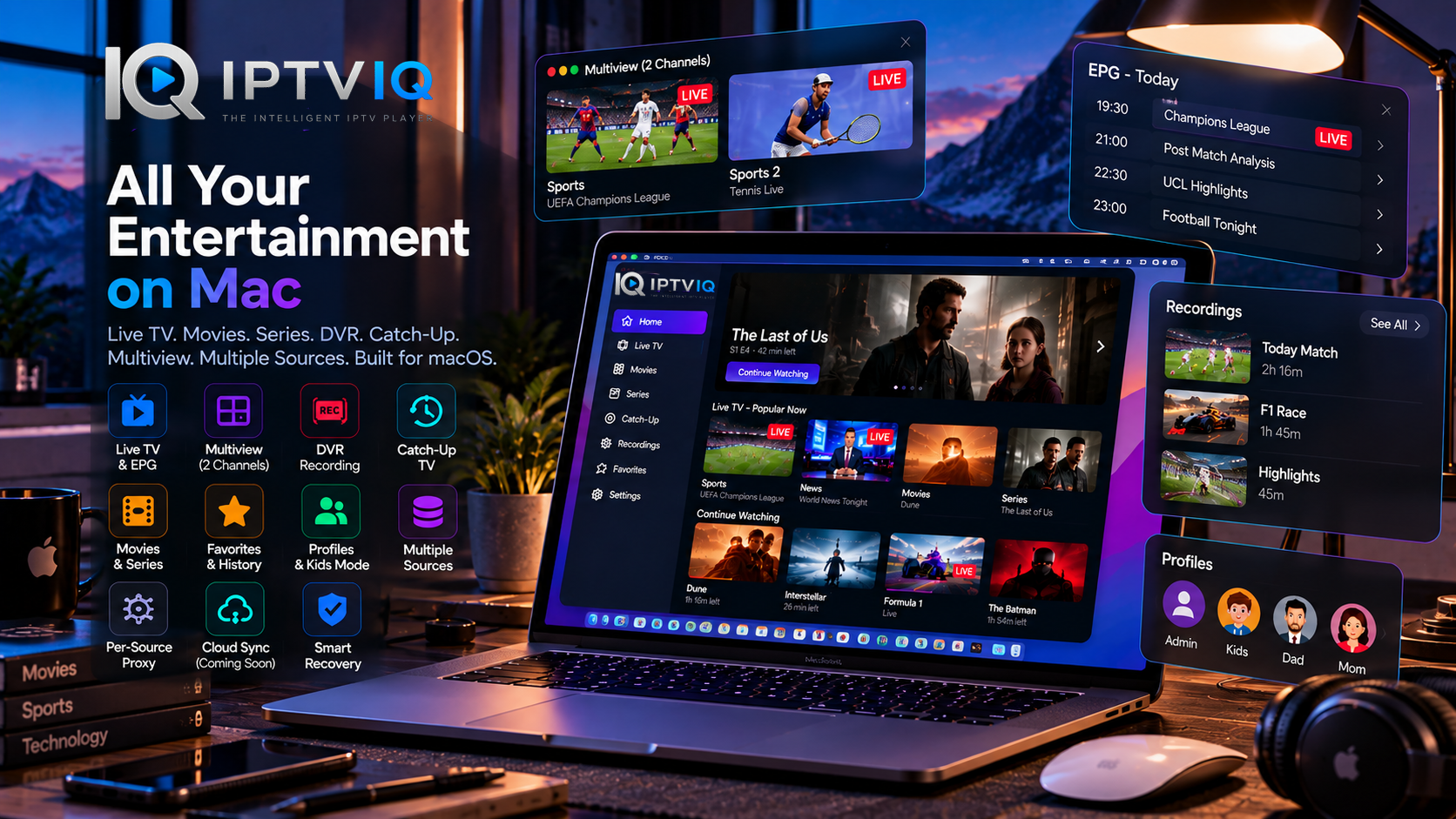
From live television and movies to Multiview, DVR recording, personalized profiles, and advanced source management, IPTVIQ aims to bring a complete IPTV experience to macOS.
And importantly, it does all of this without positioning itself as another IPTV subscription provider.
IPTVIQ is the player. Your authorized IPTV sources provide the content.
What Makes IPTVIQ Different?
At its core, IPTVIQ is designed around a simple idea: IPTV should feel like a modern entertainment experience, not a complicated collection of playlists.
Many IPTV applications focus primarily on connecting to a stream.
IPTVIQ goes further by combining content organization, playback features, and personalization within a dedicated Mac application.
Its capabilities extend beyond opening a channel or playing a movie.
Users can explore their content libraries, switch between live channels, access program information, save favorites, record compatible broadcasts, and maintain separate viewing profiles.
The result is a more organized environment for people who regularly use IPTV on their Macs.
Designed for the Mac Experience
One of IPTVIQ’s most important characteristics is its focus on macOS.
Rather than presenting itself as a generic player for every device, the currently available application is built for Mac.
IPTVIQ supports compatible Intel and Apple Silicon Macs running macOS 14 or later.
This platform-focused approach makes it a compelling option for users who prefer dedicated desktop software.
Whether someone uses a MacBook for entertainment while traveling or a desktop Mac as part of a home viewing setup, IPTVIQ provides a unified interface for managing compatible IPTV content.
Live Television, Organized Around You
Live television is a major part of the IPTV experience.
However, large channel collections can quickly become difficult to navigate.
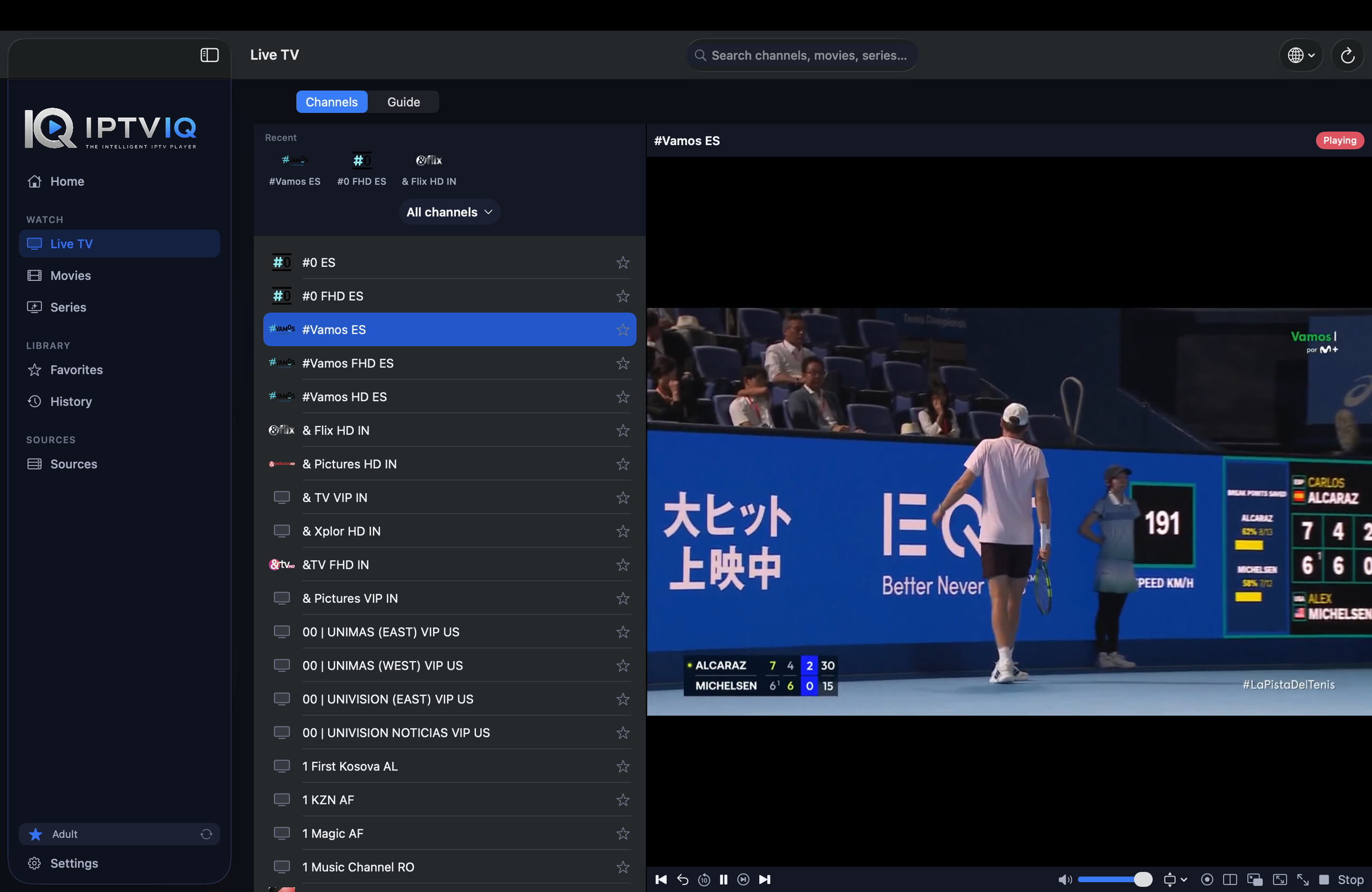
IPTVIQ provides organized channel browsing, allowing viewers to explore the categories available through their connected IPTV sources.
Instead of searching through a long, unstructured list, users can move between relevant channel groups and find their preferred broadcasts.
Channel Favorites and viewing history add another layer of convenience.
For people who regularly watch news, sports, or international television, these features can make everyday viewing more efficient.
A Better Way to Discover What’s on TV
IPTVIQ supports Electronic Program Guide information, commonly known as EPG.
When the connected IPTV source provides compatible program data, users can view information about current and upcoming broadcasts.
This makes live television more informative.
Instead of opening a channel without knowing what is playing, viewers can use available guide information to make better choices.
IPTVIQ also includes Mini-EPG functionality for convenient access to programming details.
Guide availability and accuracy depend on the connected provider’s data.
Multiview: Two Live Channels, One Screen
Some moments are simply too important to watch one channel at a time.
Two football matches may be happening simultaneously. A breaking news event might unfold while another live broadcast is already playing.
IPTVIQ includes Multiview, allowing users to watch two compatible live streams at the same time.
This creates a more flexible experience for viewers who want to follow multiple broadcasts.
Multiview is especially attractive for sports fans, although it can also be useful for news and other live programming.
Playback performance depends on the Mac, internet connection, and stream compatibility.
DVR Recording: Entertainment on Your Schedule
Live television does not always fit into a busy schedule.
IPTVIQ includes DVR recording functionality that allows compatible live broadcasts to be saved locally on the Mac.
For users who want to keep a supported broadcast for later viewing, local recording adds valuable flexibility.
Because recordings are stored on the device, users can manage their available storage directly.
Recording functionality depends on source compatibility, network reliability, and available disk space.
Catch-Up TV for Missed Broadcasts
IPTVIQ also supports provider-dependent Catch-Up TV.
Some IPTV services make previously aired programs available through their own archives.
When a connected provider offers compatible Catch-Up functionality, users can access available archived broadcasts through IPTVIQ.
This complements local DVR recording.
While DVR saves a broadcast to the user’s Mac, Catch-Up relies on content maintained by the IPTV provider.
Together, these features offer more flexibility around live television schedules.
Movies and Series in One Entertainment Hub
IPTVIQ is not limited to live television.
Compatible IPTV sources may also provide movies and television series.
The application includes dedicated sections for these content types, helping users navigate their available entertainment libraries.
Movies and series are separated from live channels, creating a more familiar browsing experience.
For viewers who enjoy both live television and on-demand entertainment, this organization makes it easier to move between different kinds of content.
Continue Watching: Pick Up Where You Left Off
Modern entertainment should fit around the viewer’s schedule.
IPTVIQ includes Continue Watching functionality for supported content.
Imagine starting a movie in the evening and stopping halfway through.
When you return, the application can help you resume from your previous playback position.
This small convenience can make a significant difference for people who frequently watch movies and series in several sessions.
Combined with viewing history and Favorites, Continue Watching helps create a more personalized experience.
Your Entertainment, Your Profile
Not everyone in a household watches the same content.
One person may prefer sports. Another may enjoy movies, while someone else primarily watches international news.
IPTVIQ supports multiple viewing profiles to help organize individual preferences.
Profiles allow different users to maintain more personalized experiences within the application.
This makes IPTVIQ useful for shared household environments without requiring everyone to use an identical setup.
Kids Profiles for Family Viewing
Family entertainment requires additional control.
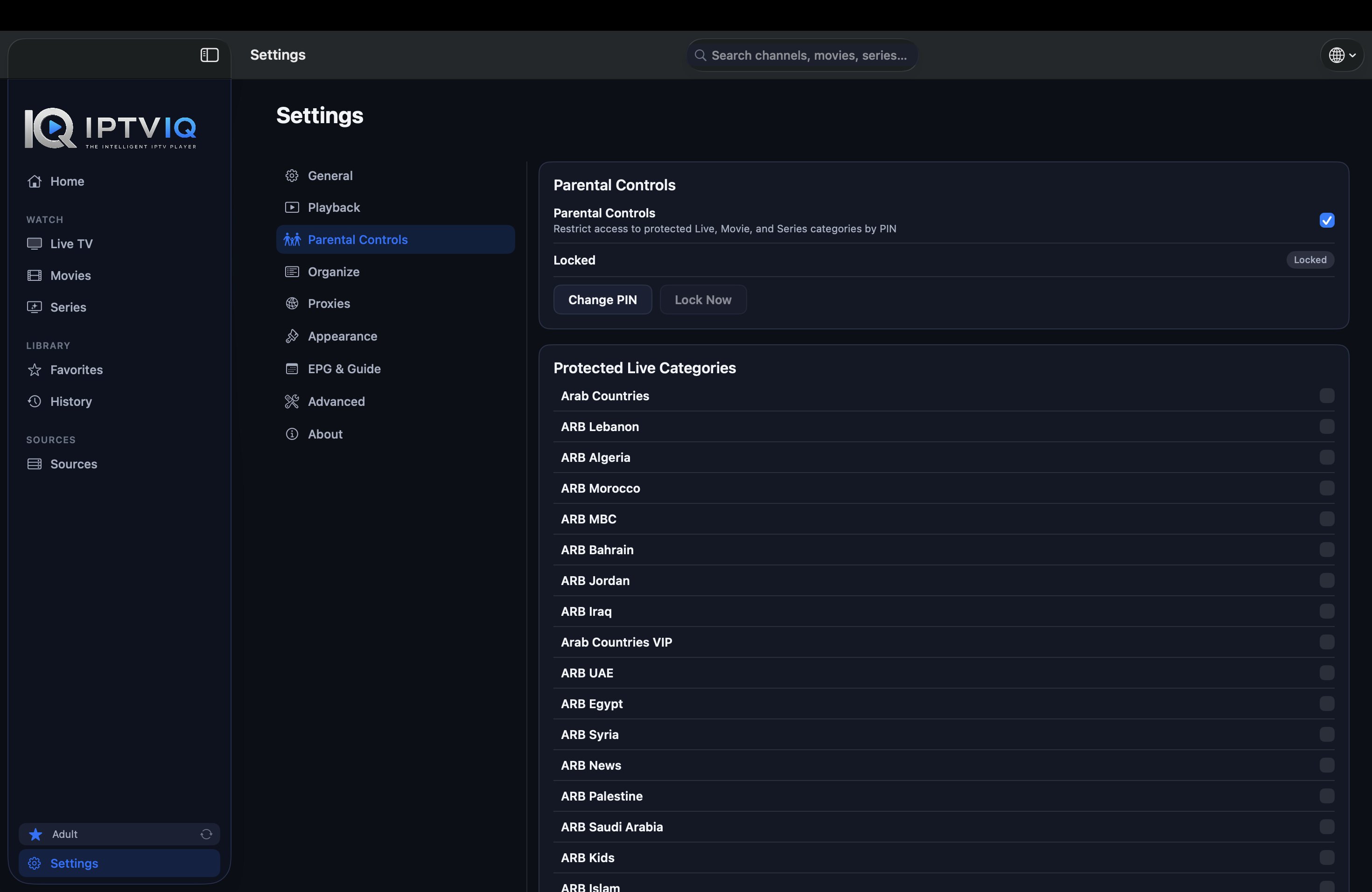
IPTVIQ includes Kids Profile functionality designed to help parents manage the content available to children.
Parents can configure approved and blocked content for a child’s viewing environment.
This provides more flexibility for households that want to separate children’s entertainment from the broader IPTV library.
As with any parental-control system, adults should review the settings and verify that the accessible content is appropriate.
Multiple IPTV Sources, One Application
One of IPTVIQ’s strengths is its support for different IPTV connection technologies.
The application supports compatible sources using:
- Xtream Codes
- M3U and M3U8
- Stalker portals
- MAG and Ministra systems
- XMLTV program guide data
Users can manage multiple IPTV sources without needing a separate application for each connection type.
This makes IPTVIQ particularly useful for viewers who already use different authorized IPTV services.
Rather than treating every source as an entirely separate experience, IPTVIQ provides a consistent application environment.
Smart Recovery for a More Resilient Experience
Internet streaming is not always predictable.
Temporary network interruptions or provider-side issues can affect playback.
IPTVIQ includes Smart Recovery, a feature designed to detect certain playback interruptions and attempt reconnection automatically.
While it cannot guarantee uninterrupted playback or resolve every streaming problem, it can reduce manual intervention after recoverable interruptions.
For viewers who regularly watch live television, this is a practical addition.
Advanced Features Without Unnecessary Complexity
IPTVIQ also includes networking options for more advanced users.
Its per-source proxy configuration supports Direct, HTTP, HTTPS, and SOCKS5 connection methods.
This allows different IPTV sources to use different network settings.
For example, one source may use a direct connection while another requires a specific proxy configuration.
These controls add flexibility without requiring every user to interact with advanced settings.
Privacy Matters on Mac
Streaming applications may handle account credentials, viewing preferences, and source configurations.
IPTVIQ takes a local-first approach to important application information.
The Mac application can use macOS Keychain for sensitive credentials, while local recording keeps DVR files on the user’s device.
This approach is relevant to users who prefer greater control over their application data.
Users can review the official privacy information for details about data handling.
Is IPTVIQ an IPTV Subscription Service?
No.
This distinction is important.
IPTVIQ is an IPTV media player, not an IPTV content provider.
The application does not independently include television subscriptions, premium channels, movies, or series.
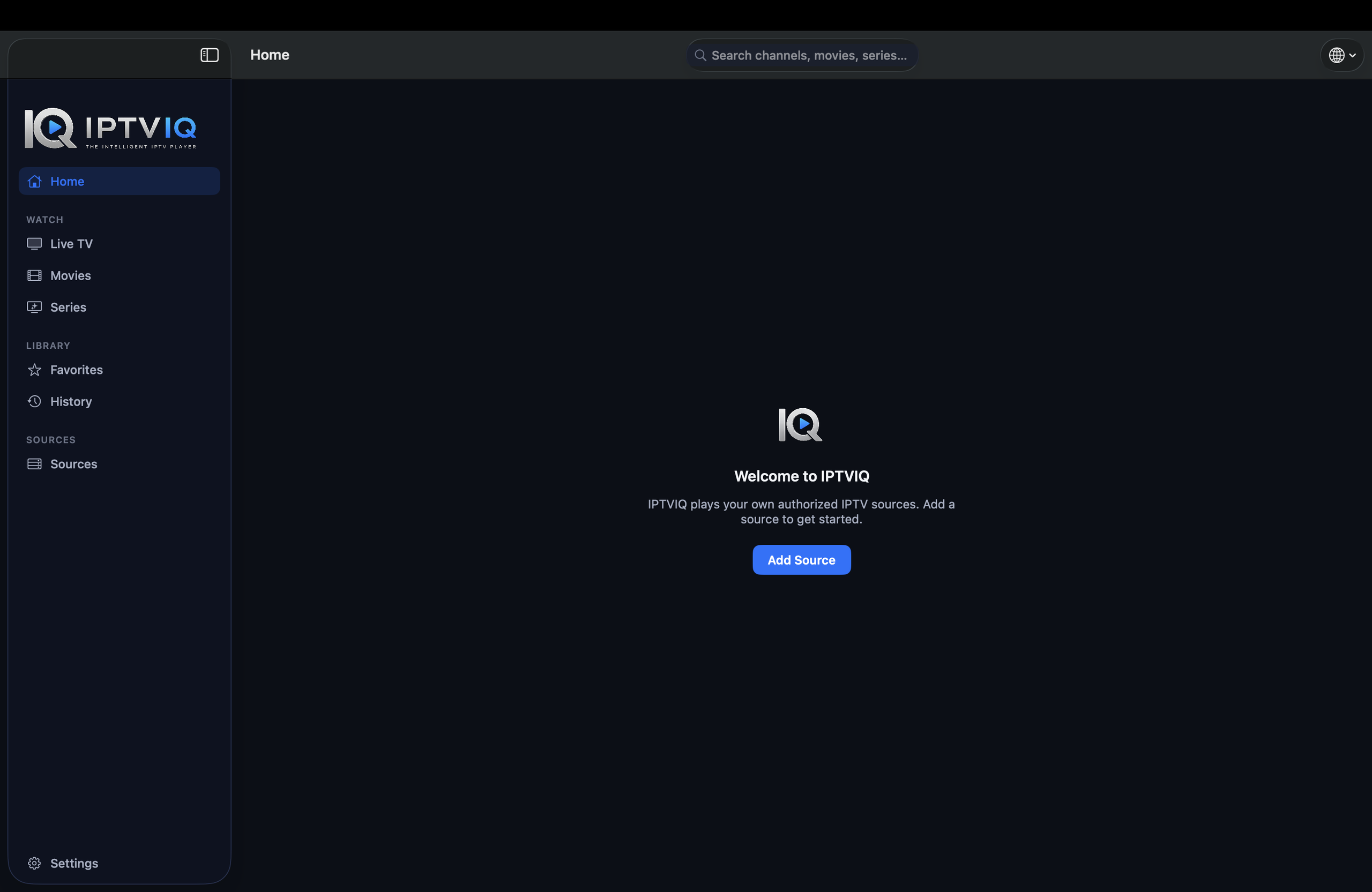
Users must connect their own compatible and authorized IPTV sources.
The content available inside the application depends on those sources.
IPTVIQ provides the tools for playing, organizing, and managing that content.
Who Is IPTVIQ Designed For?
IPTVIQ can appeal to several kinds of Mac users.
Live TV enthusiasts can benefit from categorized channels, Favorites, and EPG information.
Sports fans may find Multiview, DVR recording, and provider-supported Catch-Up especially useful.
Movie and series viewers can enjoy dedicated libraries, viewing history, and Continue Watching.
Families can explore personalized profiles and Kids Profile controls.
Advanced users can take advantage of multiple source formats and independent proxy settings.
The combination makes IPTVIQ a versatile option for users who want more than basic IPTV playback.
Where Can You Download IPTVIQ?
IPTVIQ is available for compatible Macs through the Apple Mac App Store.
Users can visit the official website to learn more about its features and product updates.
Official Website: iptviq.app
Download: IPTVIQ on the Mac App Store
Check the latest App Store listing for current system requirements, availability, and version details.
Final Verdict: IPTVIQ Brings More to IPTV on Mac
IPTVIQ represents a feature-rich approach to IPTV playback on macOS.
Instead of focusing only on opening playlists, the application brings together the features users expect from a modern entertainment environment.
Live TV, movies, series, EPG, DVR recording, Multiview, Catch-Up, and personalized profiles all contribute to a more capable viewing experience.
Support for multiple IPTV source formats provides flexibility, while Smart Recovery and advanced networking options address practical streaming needs.
For Mac users who already have access to authorized IPTV services and want a dedicated application to manage their entertainment, IPTVIQ is worth exploring.
Discover its features and experience a more organized approach to IPTV on Mac.
Explore IPTVIQ | Download for Mac
Disclaimer: IPTVIQ is a media player. It does not provide IPTV subscriptions, channels, or copyrighted content. Users must supply their own authorized IPTV sources.